|
|||||||
| Register | HelpCenter | FAQ | Members List | Calendar | Mark Forums Read |
|
|
|
Thread Tools |
|
|
#1 |
|
Subscriber
Join Date: Oct 2010
Location: Toronto Canada
Posts: 17
Thanks: 1
Thanked 0 Times in 0 Posts
|
Hi There
![]() I have a question. I have modelled a skirt with kind of "clown collar" around the top so it folds over and under itself. I want to texture it to have like a floral texture on it - how can I project my texture onto these folds so that it is seamless all the way around without having the "streaking" effect?? Is it something I have to do as part of the UV mapping? Thanks for any help ![]() Emms.
__________________
Emms |
|
|
|
|
|
#2 |
|
The thin red line
Join Date: Aug 2009
Location: England
Posts: 3,973
Thanks: 77
Thanked 317 Times in 306 Posts
|
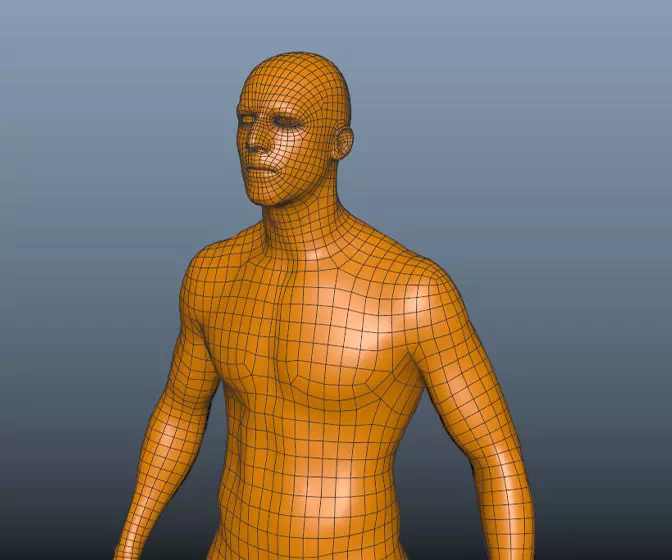
You cannot have it seam less all the way round you will at least have 1, could you show a picture of the mesh with wires.............dave
__________________
![]() Avatar Challenge Winner 2010 |
|
|
|
|
|
#3 | |
|
Subscriber
Join Date: Oct 2010
Location: Toronto Canada
Posts: 17
Thanks: 1
Thanked 0 Times in 0 Posts
|
![]()
__________________
Emms |
|
|
|
|
|
|
#4 |
|
The thin red line
Join Date: Aug 2009
Location: England
Posts: 3,973
Thanks: 77
Thanked 317 Times in 306 Posts
|
I would use road kill(free) or the UV plugin(free) that Jay has talked about (I will see if I can find the link). In road kill upload the mesh and cut a seam at the back(where you least see it) then back to maya and use unfold this should give a good starting place............dave
Link to autodesk UV plugin:http://area.autodesk.com/blogs/steve...unwrapping_uvs
__________________
![]() Avatar Challenge Winner 2010 Last edited by daverave : 01-04-2012 at 12:53 PM. |
|
|
|
|
|
#5 |
|
Moderator
Join Date: Jan 2004
Location: Michigan, USA
Posts: 2,854
Thanks: 39
Thanked 245 Times in 230 Posts
|
You can also unfold it in maya. just pin one end first and unfold
__________________
"If I have seen farther, it is by standing on the shoulders of giants." Sir Isaac Newton, 1675 |
|
|
|
|
|
#6 |
|
Moderator
Join Date: Dec 2006
Location: Candyland..no seriously, Jacksonville
Posts: 2,706
Thanks: 7
Thanked 164 Times in 155 Posts
|
Plus the mesh is rather dense for what it is, that would make UV tweaking a bit more of a hassle that necessary.
__________________
- Genny __________________ ::|| My CGS Gallery ||:: ::|| My CG Blog ||:: ::|| My Maya FAQ ||:: ::|| PMM Linear Lighting Buddy||::
|
|
|
|
![]() |
Similar Threads
|
||||
| Thread | Thread Starter | Forum | Replies | Last Post |
| Attaching/Painting 3D/2D Texture bump maps to Layered Textures | huntaer | Maya Materials & Textures | 6 | 20-07-2011 05:57 PM |
| Maya laggy when animating texture color gain | theazz | Technical Issues | 0 | 06-07-2011 07:01 PM |
| Extruding a Plane Surface | David | Maya Basics & Newbie Lounge | 1 | 06-06-2011 01:09 AM |
| Can't turn off UV texture mapping tool!! | shifter47 | Maya Basics & Newbie Lounge | 2 | 17-04-2011 10:23 PM |
| Texture a NURBS surface without dynamic stretching | esheldon | Maya Materials & Textures | 0 | 26-02-2011 08:14 PM |
| Thread Tools | |
|
|